

3.3 Synthesis
Synthesizers create sound electronically instead of using recorded audio. Producers use synths to make basses, chords, melodies, pads, and sound effects. By changing a few basic controls, you can make a sound brighter, darker, shorter, longer, smoother, or more intense.
Terms
Synthesizer: An instrument that creates electronic sounds.
Oscillator: The part of a synth that creates the basic sound.
Waveform: The shape of the sound, such as sine, saw, square, or noise.
Envelope: Controls how a sound starts, changes, and ends.
Filter: Makes a sound brighter or darker.
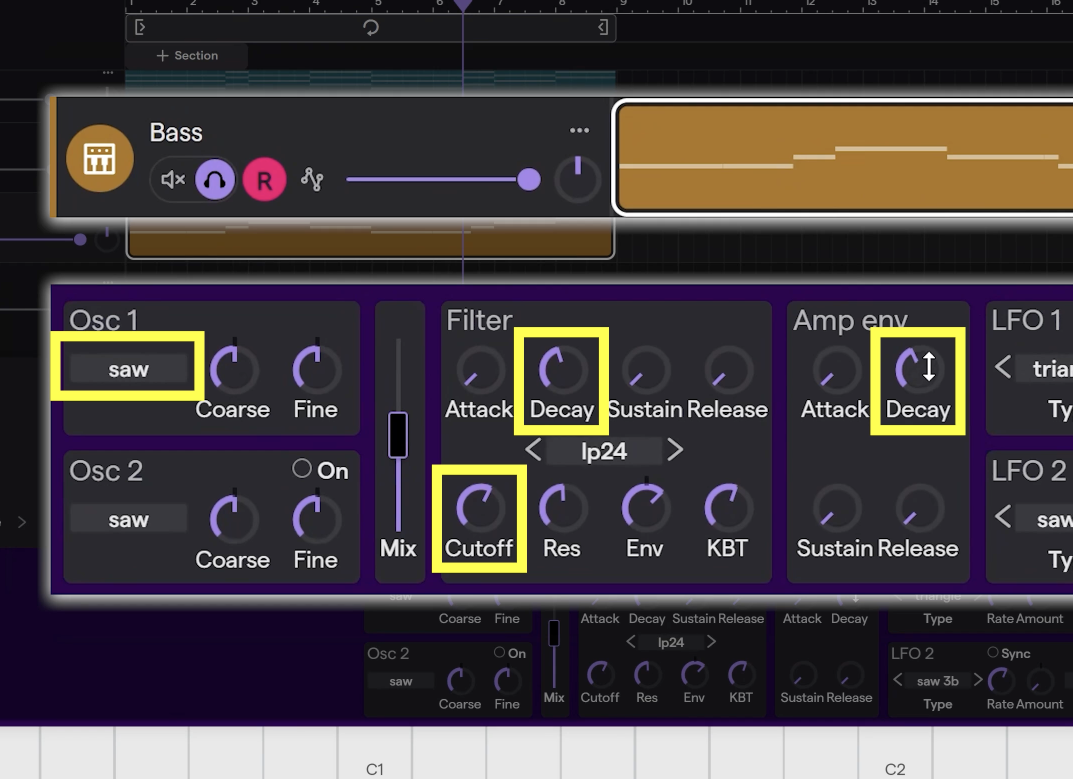
11 | Create Bass
Build a bass part from the root notes of your chord pattern. Move the notes into a lower octave, use a saw wave for a buzzy tone, lower the cutoff, shorten the decay, and use the filter envelope to shape the movement of the sound.
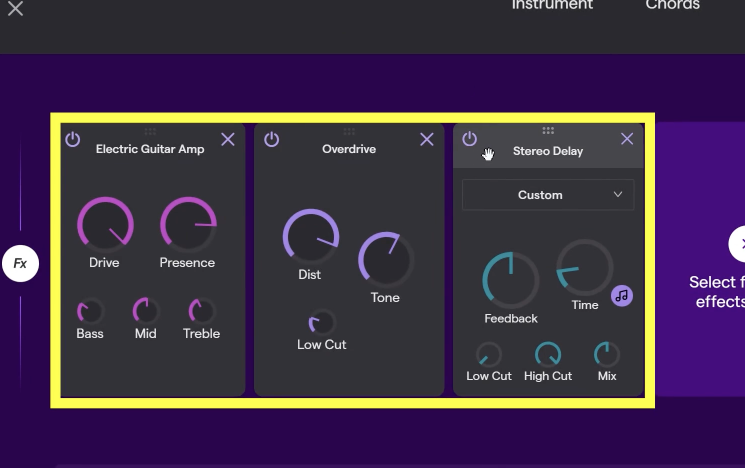
12 | Create Melody
Create a melody sound that matches the energy of your beat. Use short notes with release to create a tail, choose a smooth waveform, add effects for color, and adjust the attack so the melody sits naturally in the track.
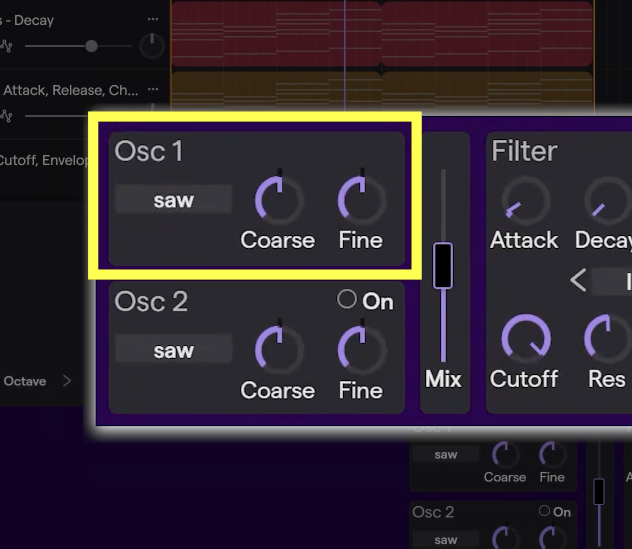
1 | Exploring Oscillators
Open the synthesizer controls and listen to how each waveform sounds. Compare sine, triangle, sawtooth, square, and noise so you can start recognizing the basic sound colors of a synthesizer.
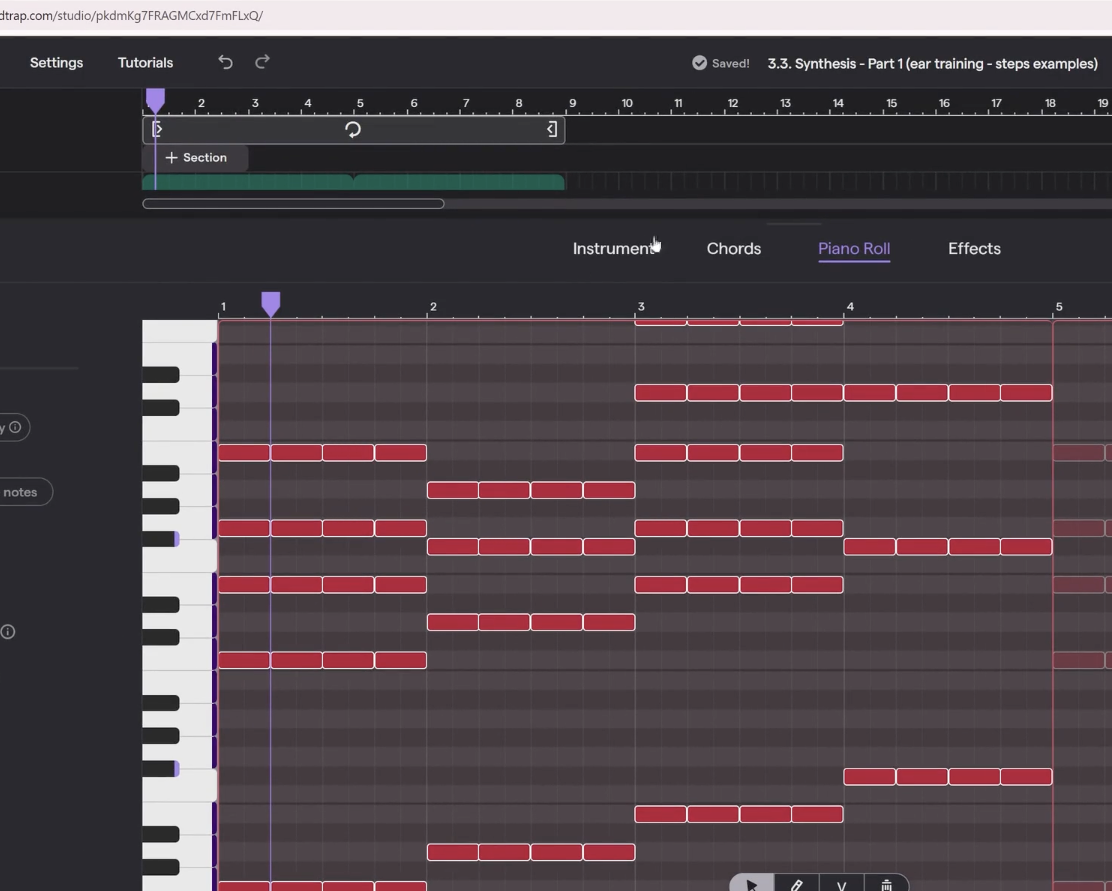
2 | Shape Decay & Sustain
Use the amp envelope to control how long a sound lasts. Adjust decay and sustain to hear the difference between long, held notes and short, plucky notes.
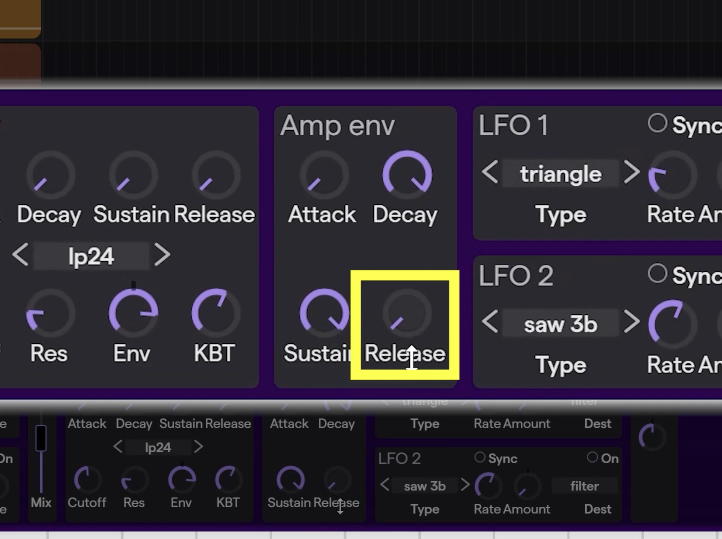
3 | Shape Attack & Release
Use attack and release to control how a sound begins and ends. A short attack starts instantly, while a longer attack fades in. A short release cuts off quickly, while a longer release creates a tail after the note ends.
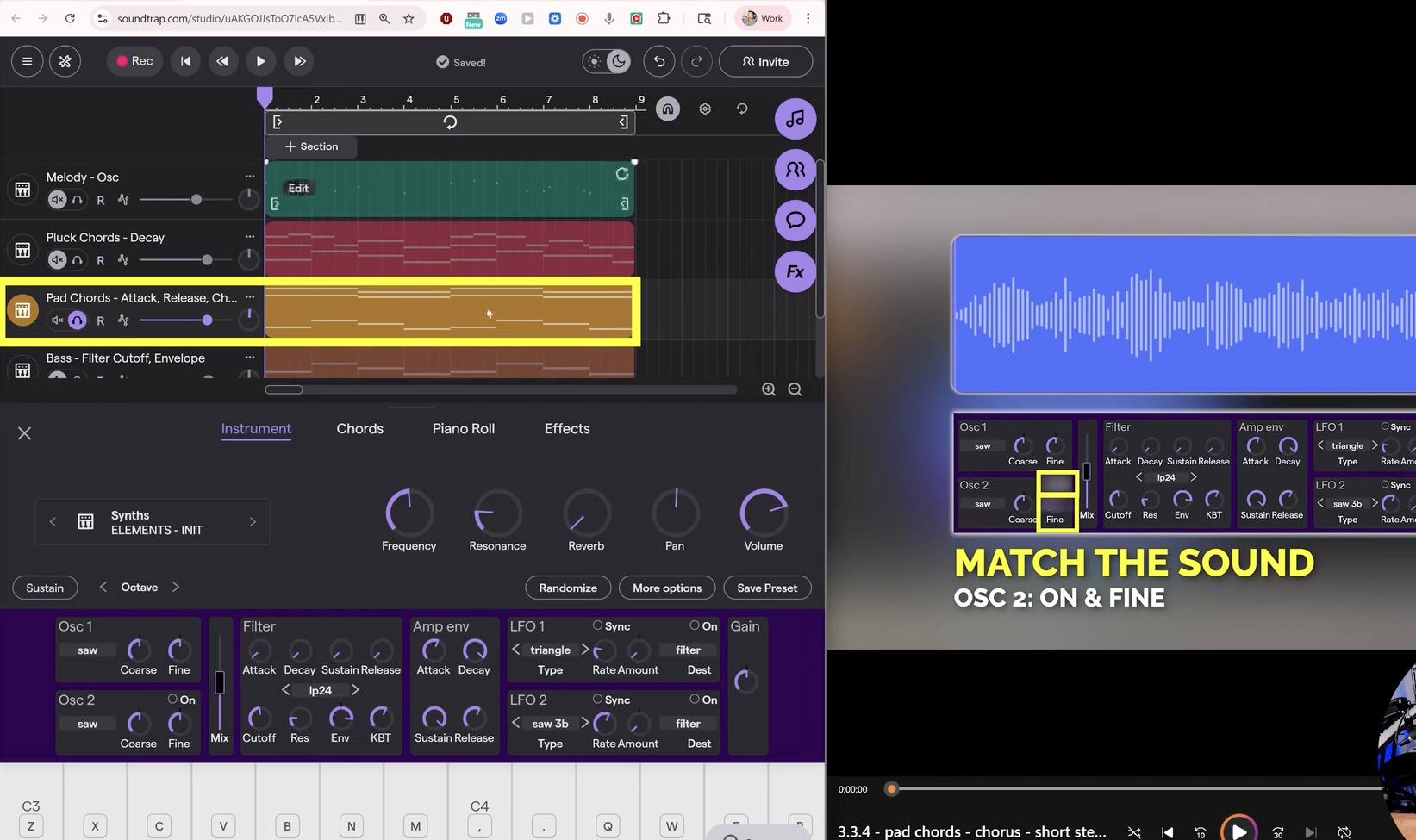
4 | Combine Oscillators
Build the drums, chords, bass, and melody to create an eight-bar section. Layer in the field recordings to see how everything fits together.
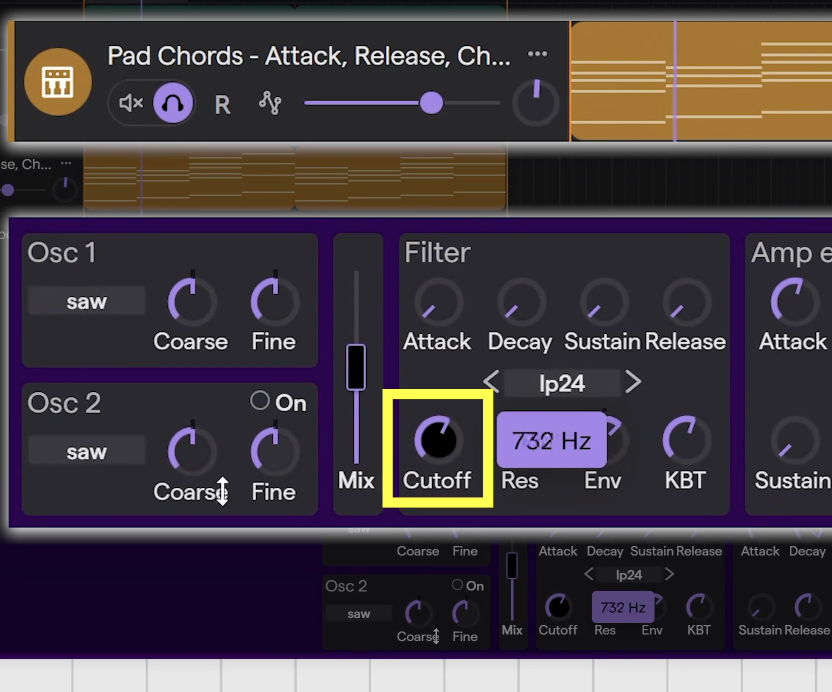
5 | Use The Filter
Adjust the cutoff to make your sound brighter or darker. A higher cutoff lets more high frequencies through, while a lower cutoff removes brightness and creates a darker sound.
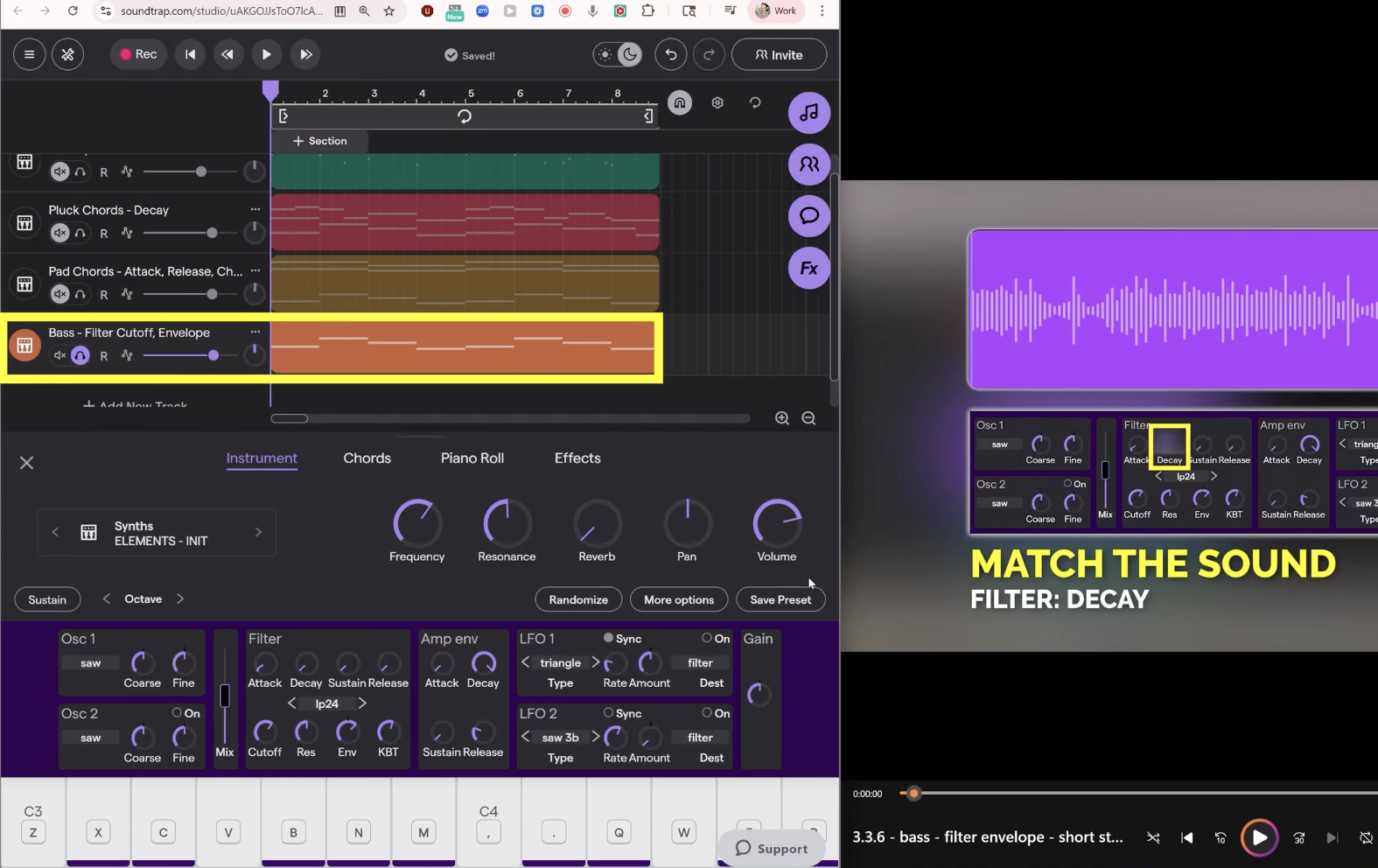
6 | Use The Filter Envelope
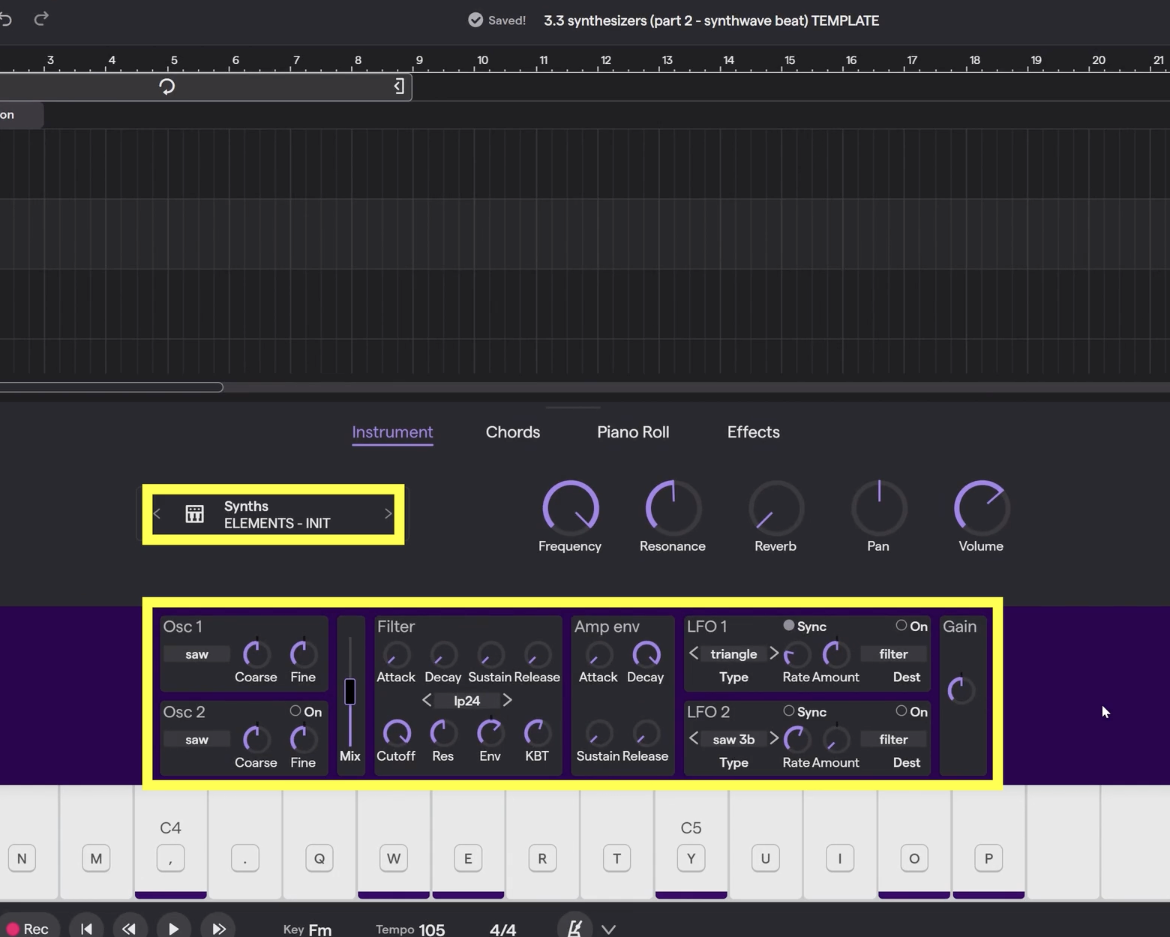
Shape brightness over time with the filter envelope. Use attack to make the sound grow brighter after the note starts, and use decay to make the brightness quickly fall back down.
7 | Project Overview
Begin the creation part of the lesson by building an eight-bar synth-pop inspired loop. Use the playlist for inspiration and think carefully about the drums, chords, bass, and melody sounds you want to create.
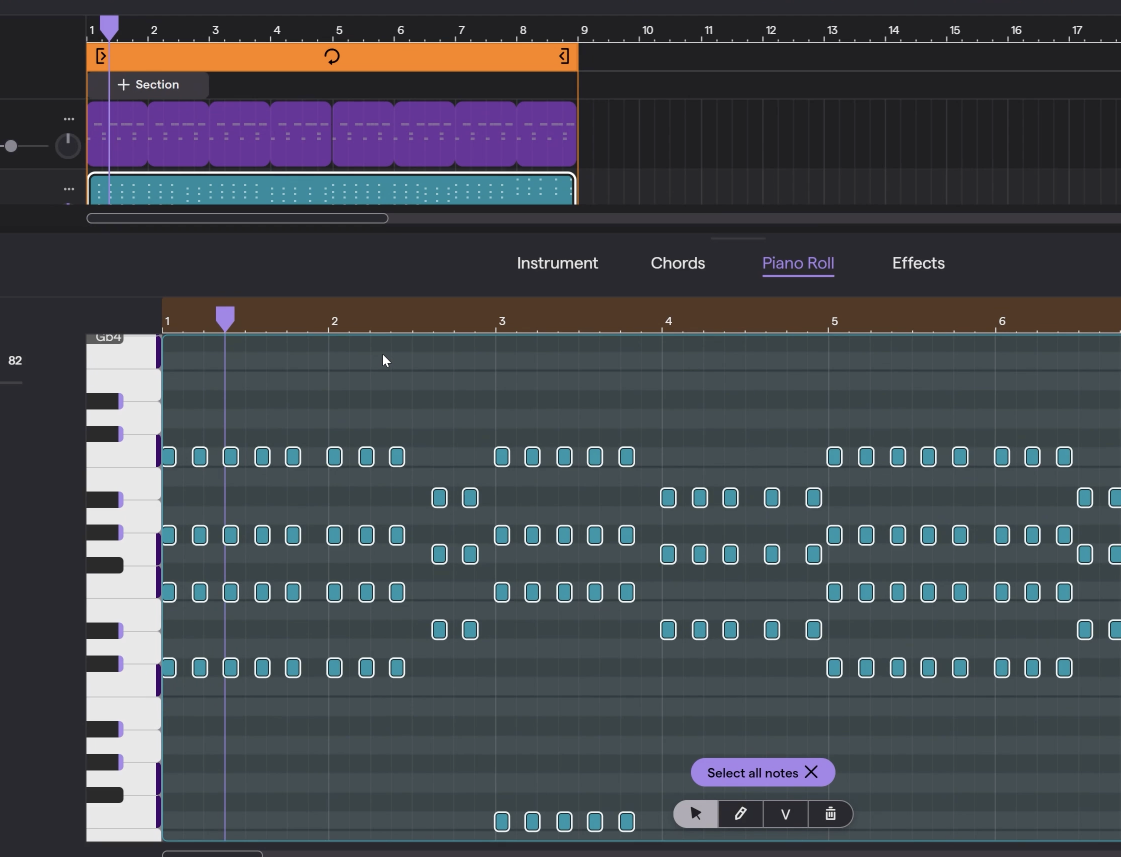
8 | Design Drums & Plucks
Use a reference song to guide your choices. Set a tempo, choose drum sounds, build a groove, and create pluck chords by using a saw wave, a short decay, and sound-shaping controls.
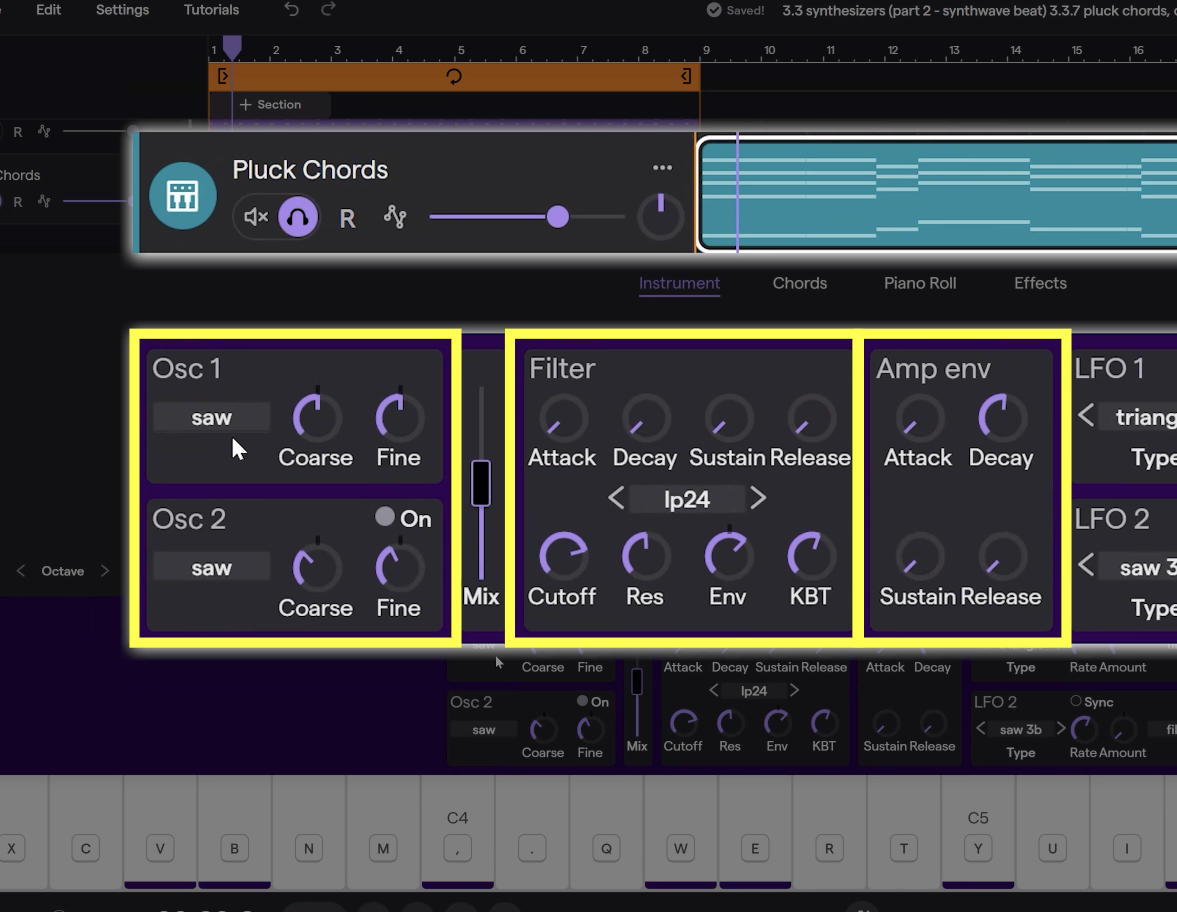
9 | Add Width To Plucks
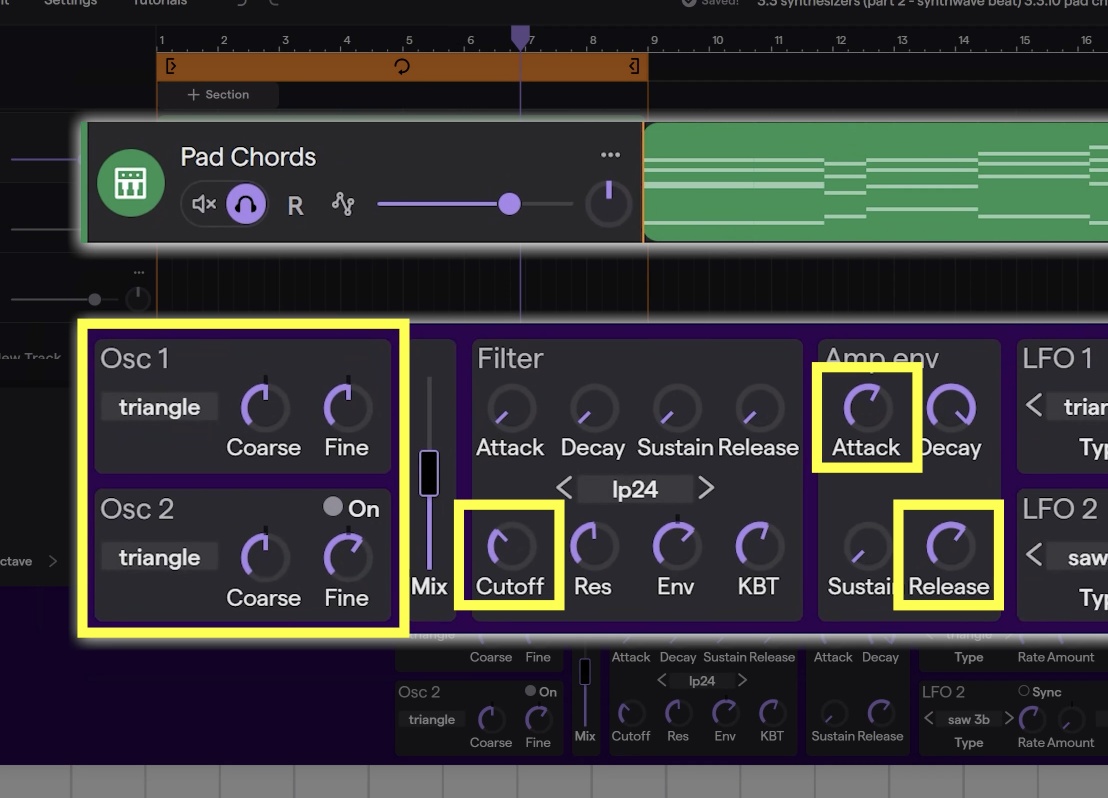
Turn on a second oscillator to make your pluck chords fuller. Try moving the second oscillator down an octave, detuning it slightly, and adjusting the cutoff so the chords are not too bright.
10 | Create Pad Chords
Turn long chord notes into a smooth pad sound. Choose a softer waveform, add a second detuned oscillator, raise the attack, and add release so the chords fade in and out smoothly.